
The real value of a 4G cellular dash cam isn’t simply the added connectivity. It transforms the in-vehicle camera from a standalone recording device into an intelligent fleet management node—cutting incident response time from hours to minutes, reducing accident claim costs by 30%–40%, and moving management coverage from spot checks to 100% online. When every vehicle can report data in real time and receive remote commands, your management model, decision speed, and cost structure change fundamentally.
Many buyers don’t fully understand the technology behind 4G dash cams—how the 4G module works, how data is transmitted, how the cloud platform is built, the difference between SIM and eSIM, the logic behind event triggering, and how OTA updates are implemented.
- A 4G dash cam is essentially a three-in-one system of embedded computing device + cellular module + cloud platform. It is not just an ordinary dash cam with a 4G module bolted on.
- The core trade-off in data transmission is image clarity vs. data cost vs. stability. A good solution balances all three through encoding optimization and intelligent upload logic.
- The event-triggering mechanism determines whether the system is usable—too sensitive and you get false alarms,too sluggish and you miss critical events.
- The choice between SIM and eSIM directly affects deployment efficiency and long-term operating costs—the larger the fleet, the more obvious the difference.
- OTA remote upgrade capability is one of the core advantages of 4G devices, but only if the solution is mature enough to avoid bricking the device on every update.
If you are evaluating 4G cellular dash cam solutions, we recommend understanding the underlying technology first, then comparing product specifications.
The Core Architecture of a 4G Cellular Dash Cam
Many people think a 4G dash cam is just a regular dash cam with a 4G module inserted. In reality, it is much more complex. A 4G dash cam is a complete embedded system, and the collaborative design between components is what really matters.
Main Processing Unit (MCU/SoC) and Its Role
Let’s start with the most critical component: the main processing chip (SoC, System on Chip).
The main chip is the brain of the device, handling all computing tasks—video encoding, image signal processing, 4G communication control, GPS data processing, event detection, and file management. 4G dash cams demand much more from the main chip than ordinary dash cams:
- Higher computing power: it must simultaneously handle multi-channel video encoding, AI algorithm execution, and network protocol stacks. Insufficient processing power causes lag.
- Richer interfaces: it must connect the 4G module, GPS module, multiple cameras, and various sensors. Too few interfaces means you can’t connect everything.
- Stricter stability: it runs 24/7 across temperatures from well below freezing to over 50°C without crashing.
When choosing a 4G dash cam, the first thing to check is the main chip solution. Different tiers of chips vary greatly in performance and stability. Cheap solutions may use consumer-grade chips that seem fine at first but develop problems over time or in harsh environments. Commercial-grade devices must use automotive-grade or industrial-grade chips, which cost more but deliver higher reliability.
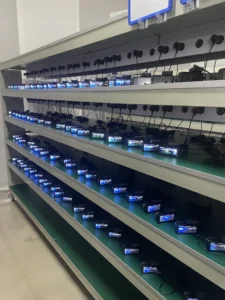
GreatWill devices use industrial-grade or higher main chips. Every unit undergoes 48-hour aging tests and high-low temperature cycle tests before shipment to ensure stable operation in extreme environments. For commercial in-vehicle devices, stability is the bottom line—if a device crashes in a vehicle, you may not know until an incident occurs, and then it’s too late.
4G Cellular Module: The Communication Engine
The second core component is the 4G cellular communication module. This is the device’s ‘mouth and ears,’ responsible for communicating with base stations and sending/receiving data.
A 4G module looks like a small circuit board, but there’s a lot to consider:
- Module brand: different brands differ significantly in performance, stability, and compatibility. Mainstream brands such as Quectel, Fibocom, and Meig have been widely validated in commercial use.
- Network standard: does it support full-network access, or only one carrier? Full-network devices can automatically switch to the carrier with the strongest signal, greatly improving stability.
- Downlink/uplink speed: theoretical and actual speeds are not the same. In fleet scenarios, uplink speed (video upload) matters more than downlink because most data flows upward.
- Operating temperature: automotive-grade modules cost several times more than consumer-grade modules and have much wider temperature ranges. In northern winters at -20°C to -30°C, consumer-grade modules may fail to start.
Another point many overlook: the collaborative design between the 4G module and the main chip. A module isn’t ready to use once soldered on. Driver adaptation, power management, and sleep/wake logic all need tuning. If not tuned well, the device either consumes too much power and drains the battery, or frequently loses network connection.
GreatWill’s R&D team spent months adapting and tuning the 4G module across different carriers, regions, and network environments, testing every scenario.
Sensors and Peripheral Components
The third part: sensors and peripheral components. A 4G dash cam is not just a camera, it has many ‘senses’:
- Image sensor (CMOS): determines video clarity and night-vision performance. A good sensor captures clear images in low light,a poor one produces blurry footage at night.
- Accelerometer (G-Sensor): detects collisions and aggressive driving. Sensitivity is adjustable, but poor calibration directly increases false alarm rates.
- GPS/BeiDou module: provides positioning. It supplies not only location but also speed and direction. Positioning accuracy and cold-start time are key metrics.
- Storage module: SD card or eMMC? SD cards are cheap but prone to failure,eMMC is soldered onto the board and more reliable but costs more. Commercial-grade devices are recommended to use eMMC.
- Various interfaces: power, video input, IO, and serial ports—these determine expansion capability.
Individually these components are not complex, but integrating them well is challenging. Is EMC handled properly so components don’t interfere? Is the power design reasonable so modules don’t burn out? Is heat dissipation sufficient to prevent thermal throttling in summer? These are the real tests of industrial design and cannot be solved simply by adding more components.
How 4G Data Transmission Actually Works
4G data transmission is the core of the system. Whether video can be sent out, whether it stutters, and how much data it consumes all depend on the transmission mechanism design.
H.264 vs H.265: Encoding Efficiency Matters
4G data transmission is the core of the system. Whether video can be sent out, whether it stutters, and how much data it consumes all depend on the transmission mechanism design.
Adaptive Bitrate (ABR) and Network Resilience
Vehicle network fluctuates widely (full signal → one bar in tunnels → minutes of disconnection). ABR maintains continuous transmission by dynamically adjusting quality:
- Real-time monitoring: uplink bandwidth, latency, and packet loss.
- Dynamic adjustment: bitrate, frame rate, and resolution adjusted in real time based on network conditions.
- Local caching: temporarily stores data during congestion and retransmits after recovery.
- Resume from break: resumes transmission from the interruption point.
TCP vs UDP: Which Protocol for Which Scenario?
- TCP: reliable, with retransmission, higher latency → event video upload, file download, GPS/status data (integrity-critical).
- UDP: low latency, allows packet loss → real-time live streaming (RTSP/RTP, latency-critical).
A good solution is not either/or, it uses different protocols for different data types:
- Real-time live streaming → UDP or UDP-based protocols (e.g., RTSP/RTP) to ensure low latency.
- Event video upload → TCP to ensure complete, frame-perfect video.
- GPS and status data → TCP to ensure reliable delivery.
- Large file downloads (e.g., full recordings) → TCP + resume-from-break.
When evaluating options, ask the supplier: what protocol is used for live streaming? What is the latency? How is smoothness guaranteed in weak-network conditions? These questions reveal the supplier’s technical depth.
SIM Cards and eSIM: What Fleet Buyers Need to Know
SIM cards may seem trivial, but they affect deployment efficiency, operating costs, and cross-region operations. As fleet size grows, SIM management workload becomes significant.
Physical SIM vs eSIM: Pros and Cons
What is the difference between a physical SIM card and eSIM (embedded SIM)?
- Physical SIM card: the small card used in phones, requiring manual insertion/replacement. Pros: simple, intuitive, easy to swap, carrier-flexible. Cons: every device requires manual installation, which becomes burdensome at scale. Poor sealing can cause poor contact due to vibration and temperature changes.
- eSIM (custom required): an embedded SIM chip soldered directly onto the circuit board, with carrier profiles written remotely. Pros: no need to open the device, remote carrier switching, high resistance to vibration and dust. Cons: requires carrier or service provider support for the eSIM platform, fewer plan options, slightly higher cost.
How should a fleet choose?
- Small fleet (a few dozen vehicles), fixed operating area, local carrier → physical SIM cards are sufficient, lower cost, simpler operation.
- Large fleet (hundreds of vehicles or more), cross-region operations, need flexible carrier switching → eSIM advantages are clear, with much higher deployment and operating efficiency.
- Harsh operating environment (dusty, high vibration, large temperature swings) → eSIM is more reliable and avoids contact issues.
GreatWill dashcam support both options. Most domestic customers choose physical SIM cards for simplicity and cost. Customers in cross-border transport or large fleets tend to prefer eSIM (custom required) for easier management. The right choice depends on your operating scenario.
SIM Card Management at Scale
Once fleet scale grows, SIM management is no longer trivial. With hundreds or even thousands of devices, tracking each card’s plan, data usage, expiration date, and payment status via Excel is impossible.
A professional fleet management solution should include robust SIM management capabilities:
- Data usage monitoring: real-time visibility into each device’s data consumption, with automatic alerts when thresholds are exceeded.
- Unified plan management: all SIM plan info and expiration dates at a glance, with batch renewal instead of recharging one by one.
- Abnormal data alerts: sudden spikes in data usage trigger automatic alarms—possible device malfunction or unauthorized use.
- Batch activation/deactivation: activate new devices and deactivate retired devices in batches, not one by one.
- Cost statistics and reconciliation: data costs by fleet, region, and time period, simplifying finance reconciliation.
Many customers don’t take SIM management seriously at first, thinking it’s just paying phone bills. Once the fleet reaches hundreds of vehicles, they find reconciliation alone takes several days each month, and cards may be suspended due to unpaid bills without anyone noticing. Good SIM management directly affects operating efficiency and cost.
Carrier Selection and Roaming Considerations
Choosing a carrier is also technical. It’s not just about price—you must consider signal coverage, network quality, and plan flexibility.
- Coverage: what routes does your fleet mainly run? Mountainous or remote areas? Different carriers vary greatly in regional coverage.
- Network quality: even on 4G, uplink speeds vary significantly by carrier and region. Video upload relies mainly on uplink,insufficient uplink speed means choppy live streams.
- Plan type: pay-per-use or unlimited monthly? Are there IoT-specific plans? IoT plans are usually much cheaper than mobile plans, but confirm whether they support data-card-specific APNs.
- Roaming support: if the fleet operates across provinces or countries, is roaming supported and how are roaming fees calculated? Cross-border fleets must clarify this in advance, or roaming fees can be shocking.
- Dual SIM / full-network: does the device support dual SIM or automatic full-network switching? If so, it can use whichever carrier has the best signal, greatly improving stability.
GreatWill GPS&dashcam supplier‘s recommendation: take a few devices and run them on your fleet’s actual routes for a period. Evaluate real performance by carrier—signal stability, upload speed, and data cost. Real-world measurements are far more reliable than carrier marketing materials.
Cloud Platform Architecture: What Happens on the Backend
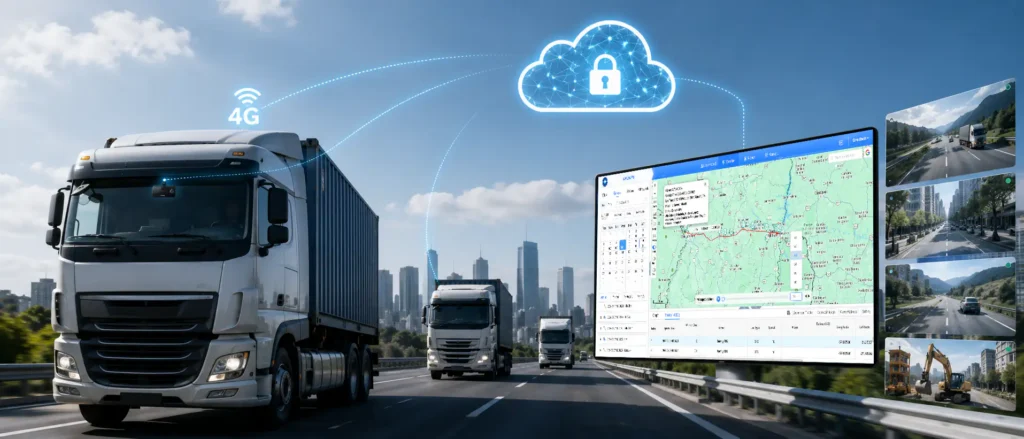
A 4G dash cam is not just a device, but a complete ‘device + cloud platform’ system. The device side only handles data collection and front-end processing, real management, storage, and intelligent analytics run in the cloud. Platform architecture directly determines whether the system can support large-scale fleets.
Device-Cloud Communication Model
How do dash cam devices and the cloud platform communicate? In short, it’s a two-way communication model of ‘active device reporting + platform-issued commands’:
- Device → Cloud: GPS location, driving data, alarm events, video clips, device status (online/offline/fault), etc.
- Cloud → Device: parameter configuration (e.g., sensitivity adjustment, recording resolution), remote commands (e.g., take photo, start live stream, reboot), firmware upgrade packages, etc.
There are several key technical points here:
- Connection management: when devices connect, how reconnections work, and how heartbeat packets are sent—these determine device online rate and platform load.
- Messaging protocol: what protocol carries signaling? MQTT, HTTP, or proprietary? MQTT is the mainstream choice for IoT, being lightweight, data-efficient, and supporting QoS.
- Concurrency: can the platform support tens of thousands or even hundreds of thousands of devices online simultaneously? As fleet scale grows, can the platform handle the load? This is a hard requirement.
Many small vendors’ platforms struggle with just a few hundred devices—slow UI loading, delayed alarms, or outright disconnections. When choosing a platform, ask: what is the maximum concurrent online device count? Are there large-enterprise cases? What cloud service is used? These reveal the platform’s capacity.
GreatWill uses a SaaS cloud platform architecture (rather than single-point private deployment), addressing each of the key technical points above:
- Remote controllability: based on MQTT signaling and reliable connection management, the platform can push parameter configuration, remote snapshots, live streaming, reboots, and firmware upgrades to any device at any time—no need for personnel near the vehicle,all management actions are initiated from the cloud.
- Unified multi-device management: SaaS architecture is built for concurrency, with elastic scaling on the platform side. A single account can manage hundreds or thousands of devices, with location, status, alarms, and video centralized in one console—eliminating the inefficiency of device-by-device operation.
- Built for scale: heartbeat/reconnection, lightweight protocols, and concurrency are default capabilities on the GreatWill SaaS platform—you don’t need to ask ‘how much concurrency is supported’ one by one, because we design to large-fleet standards.
Video Storage and Retrieval Architecture
Video storage is the most core and most expensive part of a 4G platform. Video data is large, so how much to store, where to store it, and how to store it all matter greatly.
Common storage architectures include:
- Cloud-only storage: all video stored on cloud servers, accessible anytime, anywhere. Pros: convenient. Cons: high storage cost, especially as fleet size grows.
- Local + cloud hybrid storage: SD card/eMMC stores full recordings,the cloud only stores event videos and thumbnails. Full recordings are downloaded remotely or synced via depot Wi-Fi when needed. This is the mainstream commercial model with the best cost-performance ratio.
- Private deployment storage: the customer buys its own servers and deploys the platform on its internal network. Suitable for customers with extremely high data security requirements, such as government or large enterprises. But costs are high and operation is complex.
Storage strategies should also be tiered:
- Event videos: collision and alarm videos are prioritized for cloud upload and retained longer (usually 30–90 days or more).
- Normal driving recordings: stored locally on SD card/eMMC in loop recording, uploaded to cloud only when needed.
- Real-time live streaming: not stored or only stored briefly, mainly for real-time viewing.
The GreatWill platform uses a hybrid storage architecture—event videos are automatically uploaded to the cloud, while full recordings remain on the device, supporting remote retrieval and Wi-Fi sync. This ensures key evidence is not lost while keeping storage costs reasonable. Most customers find cloud storage costs acceptable.
Event Trigger Mechanisms: How the System Decides What to Upload
A 4G dash cam cannot continuously transmit video 24/7—the data cost would be unbearable. So ‘when to transmit video, how much, and at what clarity,’ i.e., the event-triggering mechanism, directly determines system practicality and operating cost.
G-Force Triggering: Collision and Harsh Driving Detection
The most basic and common triggering method is the G-Sensor accelerometer. When the sensor detects a sudden acceleration change exceeding the threshold, it determines a collision or aggressive driving event has occurred and automatically uploads video.
It sounds simple, but doing it well is not easy. The biggest problem is false alarms—
- Speed bumps, manhole covers, and bumpy roads can all trigger the G-Sensor, causing many false alarms.
- If the threshold is too high, real collisions may be missed. If too low, false alarms multiply.
- The optimal threshold differs by vehicle type, load, and road conditions; a one-size-fits-all approach doesn’t work.
How do good solutions solve this? A few key points:
- Multi-axis combined judgment: instead of looking at acceleration in only one direction, it combines X/Y/Z axis data. The acceleration waveforms of speed bumps and real collisions are different.
- Multi-sensor fusion: G-Sensor + speed data + video analysis for multi-layer verification. For example, if the G-Sensor triggers but speed data shows low speed and video analysis finds no collision, it is likely a false alarm.
- AI-assisted filtering: AI algorithms perform secondary judgment on triggered events, filtering out obvious false alarms and pushing only truly valuable events to administrators.
- Adjustable sensitivity: different fleets and vehicle types can set different sensitivity levels. Ideally, the system can adaptively learn and become more accurate over time.
GreatWill’s triggering algorithm is trained on large amounts of real accident data and road-test data. With the same G-Sensor hardware, our false alarm rate is significantly lower than the industry average—not marketing hype, but verified by customer side-by-side testing.
AI-Powered Event Detection (DMS and ADAS)
G-Sensor triggering can only detect physical collisions, while AI triggering can detect more types of risk events—this is the core capability of next-generation 4G dash cams.
AI triggering mainly falls into two categories: DMS (Driver Monitoring System) and ADAS (Advanced Driver Assistance Systems).
DMS can detect events including:
- Driver fatigue: closed eyes, yawning, nodding—AI recognizes facial features to assess fatigue.
- Distracted driving: phone use, looking around, not looking ahead—recognized by gaze direction and head pose.
- Dangerous behavior: smoking, phone calls, not wearing seatbelt—recognized by hand movements and body posture.
ADAS can detect events including:
- Forward Collision Warning (FCW): warns in advance when following too closely or at risk of rear-end collision.
- Lane Departure Warning (LDW): alerts the driver when the vehicle unintentionally drifts out of lane.
- Forward Vehicle Start Alert: in traffic jams, alerts the driver when the vehicle ahead has moved but the driver hasn’t reacted.
The benefit of AI triggering is that it identifies risks and enables early intervention before accidents happen, rather than just recording after a collision. According to industry data, fleets with AI driver monitoring can reduce accident rates by 20%–35%. This value is far greater than simple post-event evidence collection.
AI algorithm accuracy is key—too many false alarms annoy drivers and cause administrators to ignore alerts. GreatWill’s AI algorithm is specifically optimized for commercial vehicle scenarios, with a well-controlled false alarm rate. It also supports continuous iterative upgrades, so accuracy improves over time.
Geofencing and Custom Trigger Rules
Besides collision and AI detection, there is another triggering method: location-based and custom-rule triggering.
- Geo-fence trigger: when a vehicle enters or leaves a designated area (warehouse, construction site, restricted zone), it automatically triggers video upload and alarm. Useful for managing delivery routes and preventing unauthorized vehicle use.
- Speeding trigger: when a vehicle exceeds the set speed threshold, it automatically records and uploads video. Speeding is one of the main causes of accidents, so speed-limit management is important.
- Excessive parking trigger: when a vehicle stops at a non-designated location beyond a set time, it automatically alarms. Useful for monitoring abnormal stops and driver idling.
- Idling trigger: alerts when a vehicle idles too long. Idling wastes fuel and increases emissions, both costs for the fleet.
Different fleets have different management needs; a fixed set of trigger modes cannot satisfy all scenarios. Some care about speeding, some about excessive parking, some about route deviation—the more flexible, the better.
The GreatWill platform supports rich custom rules and can configure separately by vehicle group and vehicle type. Different fleets and routes require different management strategies, so configurations should differ accordingly.
Smart Upload Logic and Priority Queuing
Once an event is triggered, how is video uploaded? This directly affects data efficiency and the speed at which critical events are delivered.
Intelligent upload logic should include these strategies:
- Tiered upload: different event levels upload videos of different clarity and duration. Severe events (e.g., collisions) upload high-definition long videos; minor events (e.g., a hard brake) upload standard-definition short clips.
- Fast-then-full: after an event, first upload a high-definition snapshot and a few seconds of short video (‘quick report’) so administrators quickly understand the situation. The full video uploads in the background. Decisions don’t have to wait.
- Priority queue: severe events upload first; minor events wait. Bandwidth must not be occupied by trivial events when a real incident occurs and video can’t get through.
- Network awareness: when network is good, upload more and in high definition. When network is poor, upload less and in standard definition to ensure critical events are delivered.
- Wi-Fi offloading: after vehicles return to depot, large amounts of non-urgent video data automatically sync to the server via Wi-Fi, saving 4G data.
These intelligent upload strategies sound simple, but each requires software and hardware tuning. After years in GreatWill 4G in-vehicle video device business, our biggest takeaway is: the gap between commercial-grade and consumer-grade products usually isn’t in the feature list, but in these detailed experiences—even for the same A 4G dash cam is not just a video device; it is also a GPS positioning terminal. The combination of video + location is the complete information foundation for fleet management—location alone doesn’t tell you what happened, and video alone doesn’t tell you where it happened.
GPS Tracking and Location Integration
A 4G dash cam is not just a video device; it is also a GPS positioning terminal. The combination of video + location is the complete information foundation for fleet management—location alone doesn’t tell you what happened, and video alone doesn’t tell you where it happened.
How GPS Works in a 4G Dash Cam
Everyone knows the principle of GPS positioning—receive satellite signals and calculate position. But in-vehicle scenarios have several special challenges:
Cold-start time: when the device first powers on, GPS needs to search for satellites and obtain ephemeris data. Fast cold starts take a dozen seconds; slow ones can take several minutes. Open areas are faster; underground garages and urban canyons are slower.
Positioning accuracy: civilian GPS accuracy is about 5–10 meters; with differential positioning it can reach meter-level or even sub-meter. But in-vehicle scenarios with obstruction and multipath effects affect accuracy.
Signal obstruction: GPS signals may be lost in tunnels, under overpasses, and among high-rise buildings. Inertial navigation (IMU) is then needed to fill the gaps.
Multi-constellation support: GPS only, or also BeiDou, GLONASS, and Galileo? Multi-constellation means more satellites, faster and more accurate positioning.
GreatWill devices support GPS + BeiDou dual-mode positioning, and some high-end models also support GLONASS and Galileo. Multi-constellation support greatly improves positioning in complex environments—for example, in urban canyons a single GPS may only see a few satellites, while multi-constellation maintains better accuracy.
Assisted GPS (A-GPS) and Fast Positioning
What is A-GPS (Assisted GPS)? In short, it uses the mobile network to assist GPS in obtaining a fast position fix.
Pure GPS positioning is slow mainly because obtaining ephemeris data is slow—satellite signals are weak and downloading ephemeris takes time. A-GPS downloads ephemeris data directly from the server via the 4G network, without waiting for slow satellite transmission. This shortens positioning time from minutes to seconds.
For 4G dash cams, A-GPS is almost standard—since the 4G network is always connected, it can assist GPS positioning. But not all A-GPS implementations are equal:
- Ephemeris data source: whose A-GPS service is used? Is data updated promptly? Is coverage good?
- Update strategy: how often is ephemeris updated? Too frequent wastes data; too infrequent and it becomes outdated.
- Fallback strategy: what happens when A-GPS can’t connect? Can it automatically switch to standalone GPS mode?
Customers usually don’t notice these details, but the difference is obvious in use—even for the same vehicle ignition, some devices position in seconds while others take several minutes. Fleet dispatch relies on real-time location; slow positioning greatly degrades the experience.
Video + Map Sync: The Combined Value
The most typical example is ‘video-map synchronized playback’—viewing the vehicle’s driving trajectory on a map while synchronously playing the video at the corresponding location.
What is this feature useful for?
- Accident reconstruction: after an accident, you can view not only the scene video but also the vehicle’s trajectory, speed, and direction on the map—fully reconstructing the incident and making liability clear.
- Route verification: did the driver follow the prescribed route? Any detours? Any unauthorized locations? Trajectory + video makes it clear.
- Live dispatch: dispatchers see all vehicle locations on the map and can click to view real-time video—which vehicle is stuck where, which is unloading, all at a glance.
- Customer communication: when customers ask where their goods are, a screenshot of map + video is more effective than a long explanation.
Deep integration of video and location is the core value that distinguishes 4G smart dash cams from traditional GPS trackers and ordinary dash cams. GPS trackers only show location, not the scene. Ordinary dash cams only record, for review after an incident. Combining both is true ‘visual fleet management.
OTA Updates and Remote Device Management
One of the biggest advantages of 4G devices is remote management and upgrade capability.
How FOTA (Firmware Over-the-Air) Works
It means remotely upgrading device firmware over the 4G network. The principle sounds simple, but doing it well is hard—because in-vehicle devices have very low tolerance for upgrade failures.
A reliable FOTA system must have these safeguard mechanisms:
- Delta upgrade: only download the changed parts, not the entire firmware package. Smaller upgrade package, less data, lower failure risk.
- Dual-partition backup: the device has two system partitions. The upgrade is applied to the backup partition, and only switched to after success. If the upgrade fails, the device can still boot from the original partition, avoiding bricking.
- Resume from break: if the network drops while downloading the upgrade package, it resumes from the interruption point after reconnection without starting over.
- Verification mechanism: after download, verify MD5/SHA to ensure the firmware package is complete and undamaged. If verification fails, do not upgrade, avoiding device damage.
- Gray release: upgrade a small group of devices first, observe for a few days, then gradually expand. If the new version has issues, the impact is controllable.
- Version management: all device firmware versions are clearly tracked, supporting targeted upgrades and rollback. Not every customer wants the latest version; some prefer proven older versions for stability.
GreatWill’s FOTA system includes all these mechanisms. After many years in the in-vehicle device business, we know what remote upgrades mean to customers—especially fleet customers with dozens or hundreds of vehicles. If an upgrade goes wrong, the loss is huge. So GreatWill’s FOTA strategy has always been conservative and cautious: better slow than broken.
Remote Configuration and Troubleshooting
Remote management also includes parameter configuration and troubleshooting. Used well, these two functions can save fleets significant operating costs.
What can remote configuration do?
- Parameter adjustment: G-Sensor sensitivity, recording resolution, trigger rules, upload strategy—no need to touch the device; changes take effect immediately from the backend.
- Batch configuration: apply configurations to all devices in the same vehicle group at once. More efficient and less error-prone than configuring one by one.
- Configuration backup and restore: device configurations can be backed up and restored when replacing devices, without reconfiguration.
What can remote troubleshooting do?
- Device status monitoring: online/offline, GPS status, 4G signal strength, SD card status, temperature—all device health status at a glance.
- Remote logs: when a device has issues, logs can be pulled from the backend for fault analysis. No need to open the device or visit the site.
- Remote diagnosis: camera failure, SD card full, weak 4G signal—the platform automatically detects and alarms.
- Remote reboot/factory reset: device frozen? Send a reboot command from the backend; no need for the driver to operate manually.
These functions are crucial for large fleets. With dozens or hundreds of vehicles, if every device issue required an on-site visit, operating costs would be uncontrollable. With good remote management, more than 80% of issues can be resolved from the backend without site visits.
Power Management and Vehicle Electrical Integration
4G dash cams need continuous network connectivity, so power consumption is significantly higher than ordinary dash cams. Good power management design directly determines whether the device will drain the battery or affect normal vehicle startup—this is a hard metric many buyers overlook.
Power Supply Options: Hardwire vs OBD vs Cigarette Lighter
There are three common power supply methods for 4G dash cams:
- Cigarette lighter power: simplest, plug-and-play. But drawbacks are obvious—it occupies the lighter socket, wiring is unsightly, power cuts off when engine stops (no 24-hour monitoring), and vibration may cause poor contact. Generally not recommended for commercial fleets.
- OBD power: plugs into the vehicle OBD port, relatively easy to install, and can supply power after engine stop. But OBD port space is limited, and many vehicles have constant OBD power. If the device’s power management is poor, it can drain the battery.
- Fuse box hardwire power: draws power directly from the vehicle fuse box with professional installation, concealed wiring, and stable supply. You can choose ACC power (cuts off when engine stops) or constant power (24-hour supply). This is the mainstream solution for commercial fleets.
For commercial fleets, we generally recommend the hardwire power solution—though installation is slightly more involved, it offers the best stability and reliability. Commercial vehicles run on the road every day; devices must not lose power easily. Hardwire power can connect to constant power, supporting parking monitoring, which is valuable for vehicle anti-theft and nighttime security.
When selecting a device, confirm which power supply methods are supported and whether installation accessories are included. GreatWill 4G LTE in-vehicle dash cam supports cigarette lighter, OBD, and hardwire power, with step-down cables and fuse taps available to fit various vehicle models.
Low-Power Design and Battery Drain Prevention
The biggest concern with constant power is battery drain—the device stays on and could deplete the battery, leaving the vehicle unable to start.
This problem must be solved from two sides: low-power design + intelligent power management.
Low-power design is the foundation:
- Sleep mode: after the vehicle shuts down, the device enters low-power sleep mode, shutting down most functions and retaining only basic motion detection and timed wake-up. Sleep current can be as low as a few tens of milliamps or even lower.
- Tiered wake-up: not every disturbance triggers full-power operation. Minor vibrations only wake the G-Sensor for detection; the main system and 4G module are woken only when a valid event is confirmed.
- Efficient power management chip: uses high-efficiency DC-DC chips to reduce self-power loss.
Intelligent power management is the safeguard:
- Voltage detection: the device monitors vehicle battery voltage in real time. When voltage drops below the set threshold (e.g., 11.8V), it automatically shuts down to protect the battery from being drained.
- Adjustable threshold: the low-voltage protection threshold can be adjusted for different vehicle types and battery capacities. Heavy trucks with higher battery voltages can use a higher threshold; smaller vehicles can use a lower one.
- Time limits: in parking monitoring mode, you can set maximum daily working hours or limit operation to specific time periods to further reduce power consumption.
GreatWill 4G dash cams achieve industry-leading sleep current in parking monitoring mode. After installation, customers generally don’t experience battery drain preventing startup—provided the vehicle battery itself is in good condition.
Vehicle Bus Integration (CAN Bus)
For high-end commercial fleets, there is an advanced requirement: CAN bus integration.
The CAN bus is the vehicle’s internal communication network. Engine, transmission, brakes, dashboard—various ECUs exchange data through the CAN bus. If a 4G dash cam can connect to the CAN bus, it can access richer vehicle data:
- Vehicle status: speed, RPM, throttle opening, brake status, steering angle—more accurate than GPS data.
- Fault information: engine fault codes, ABS fault codes, tire pressure warnings—with this data, vehicle health management is no longer a problem.
- Fuel consumption data: real-time, average, and idling fuel consumption—helps fleets manage fuel use precisely.
- Driving behavior: hard acceleration, hard braking, sharp turns—judgments based on CAN data are much more accurate than G-Sensor.
CAN bus integration offers many benefits but is also challenging—different brands and vehicle models use different CAN protocols, requiring adaptation one by one. Moreover, many commercial vehicle CAN protocols are not public and require manufacturer cooperation or reverse engineering to decode.
GreatWill has accumulated extensive CAN protocol adaptation experience across many vehicle models over years of commercial in-vehicle projects. We have adapted to most mainstream heavy truck, light truck, and bus brands. If your fleet needs CAN bus integration, contact us directly—we can handle most vehicle models.
Choosing the Right 4G Dash Cam: A Technology Buyer’s Checklist
- Main chip solution: what brand and model of SoC? Industrial-grade or consumer-grade? Is the computing power sufficient for multi-channel encoding and AI?
- 4G module brand: whose module is used? Does it support full-network access? Is it automotive-grade?
- Image sensor: what brand and model? How is night vision? Does it have HDR?
- Storage medium: SD card or eMMC? eMMC reliability is far higher than SD cards. Commercial fleets are strongly recommended to choose eMMC.
- GPS module: which satellite systems are supported? Is A-GPS available? What is the cold-start time?
- Build quality and materials: PCB layer count, component specifications, connector craftsmanship—these reveal quality once opened.
- Main chip solution: what brand and model of SoC? Industrial-grade or consumer-grade? Is the computing power sufficient for multi-channel encoding and AI?
- 4G module brand: whose module is used? Does it support full-network access? Is it automotive-grade?
- Image sensor: what brand and model? How is night vision? Does it have HDR?
- Storage medium: SD card or eMMC? eMMC reliability is far higher than SD cards. Commercial fleets are strongly recommended to choose eMMC.
- GPS module: which satellite systems are supported? Is A-GPS available? What is the cold-start time?
- Reliability testing: what reliability tests has the device passed? High/low temperature, humidity, vibration, drop, aging—is the full automotive-grade test suite covered?
- Quality certifications: does the manufacturer have ISO 9001 quality management certification? Do products have CE, FCC, RoHS, and other certifications? For export, are certifications for the target market in place?
GreatWill’s factory is ISO 9001 certified, and products have full CE, FCC, RoHS, and other certifications. As aprofessional 4G smart dash cam custom service provider, we are in this for the long term—after customers buy devices, we are responsible for platform services, technical support, and continuous upgrades. Many customers have worked with us for five or six years because we are reliable, stable, and reachable when issues arise.
Frequently Asked Questions
What is the essential difference between a 4G dash cam and an ordinary WiFi dash cam?
The core difference lies in ‘connection method’ and ‘application scenario.’ An ordinary WiFi dash cam needs to connect to a WiFi hotspot to transmit data; without WiFi it is just a standalone recording device, and data can only be retrieved afterward. A 4G dash cam has a built-in cellular module and can be online in real time wherever there is 4G signal—video upload, location reporting, remote commands, and OTA upgrades are all real-time. In short: a WiFi dash cam is a ‘post-event evidence tool,’ while a 4G dash cam is a ‘real-time management node.’ For fleets, the value of a 4G dash cam is not just video, but turning every vehicle into an online management unit. That is the essential difference.
Does a 4G dash cam use a lot of data? How much per month?
Data consumption depends on usage mode. In pure event-triggered mode (only uploads on collision or alarm), 1–3GB per vehicle per month is usually enough, with very low data cost. If daily manual live viewing is added, about 3–5GB. Only extreme 24/7 continuous live streaming uses tens of GB. The key is the intelligent upload strategy—tiered event upload, snapshot-first then full video, Wi-Fi offloading, and off-peak upload. These strategies keep data costs reasonable. We recommend a 1–2 month pilot to determine the right plan based on actual consumption.
What is eSIM? Do fleets need eSIM?
eSIM is an embedded SIM card. The chip is soldered directly onto the device motherboard, and carrier profiles are written remotely without inserting a card or disassembling the device. Whether to choose eSIM depends on fleet size and operating scenario: small fleets with fixed operating areas can use physical SIM cards at lower cost and simpler operation. Large fleets (hundreds or more), cross-region operations, and frequent carrier switching make eSIM advantages obvious—fast deployment, no manual card insertion, remote management, and high reliability. In addition, vehicles in harsh environments (dusty, high vibration) benefit from eSIM because there is no contact failure issue.
Will OTA remote upgrades brick the device? Is it safe?
Reputable manufacturers’ OTA systems have robust anti-brick mechanisms: delta upgrades (only download changed parts, smaller and safer), dual-partition backup (failed upgrades can fall back to the original partition, avoiding bricking), resume-from-break (no re-download after network drop), MD5 verification (ensures firmware integrity), and gray release (small-scale validation first). Together, these mechanisms make upgrade failures very unlikely. Of course, the premise is choosing a reputable manufacturer—small vendors’ OTA may be crude and risky. When purchasing, ask clearly: is there dual-partition backup? Is there a gray release mechanism? Is there a history of upgrade incidents?
Will parking monitoring drain the vehicle battery?
Reputable 4G dash cams have comprehensive low-voltage protection and normally won’t drain the battery. After the vehicle shuts down, the device enters low-power sleep mode with sleep current of only a few tens of milliamps, consuming very little power. At the same time, the device monitors battery voltage in real time. When voltage drops below the set threshold (usually around 11.5V–12V, adjustable), it automatically shuts down to ensure the vehicle can start normally. But two premises matter: first, the vehicle battery itself must be in good condition; an aged or weak battery is a different issue. Second, the device must be installed correctly on constant power with low-voltage protection enabled. If low-voltage protection is bypassed during installation, there is a risk of battery drain.
Related Articles
If you are interested in 4G dash cam technology and fleet applications, the following articles may help you:
4G vs WiFi Dash Cams: Which Is Better for Fleet Management?
4G Dash Cam TCO Analysis: Total Cost of Ownership for Fleets
4G Dash Cam Fleet Management: A Complete Solution Guide



Responses
Discussion
0 responses
No responses yet
Start the discussion with a practical question or field note related to this article.