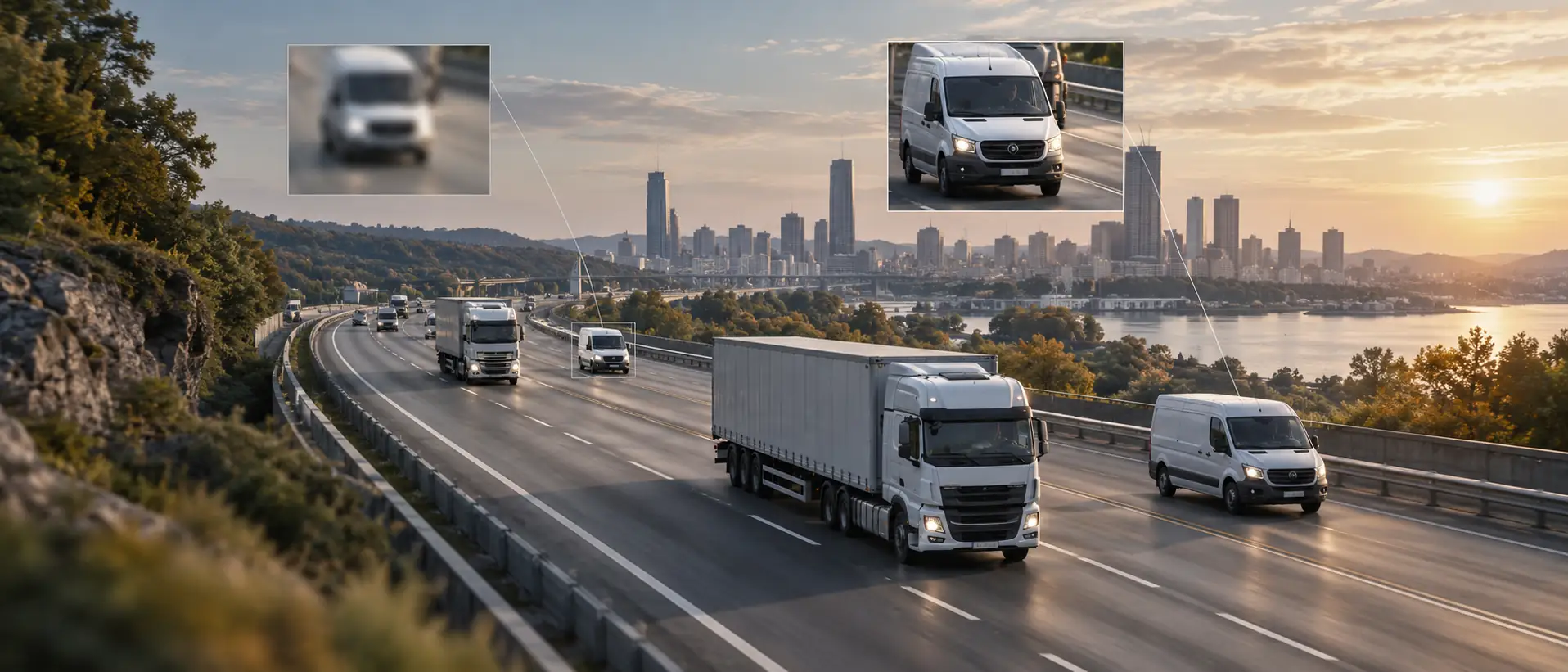
The real-world difference between 4K and 1080p in fleet scenarios is far less obvious than it appears on phones and TVs. 4K has four times the pixels of 1080p, but for in-vehicle video surveillance, 1080p already meets over 80% of evidentiary needs, while 4K’s storage and data costs run 3–4 times higher.
Many buyers fall into a misconception: the higher the resolution, the better—so 4K must beat 1080p. But in-vehicle and consumer-electronics scenarios are different. The core value of dash cam footage is being usable as evidence after an incident, not how polished the picture looks. As long as you can read a license plate, see how the accident unfolded, and determine liability, the clarity is sufficient. Beyond a certain point, higher resolution delivers diminishing marginal returns while costs multiply.
- 1080p is the mainstream, cost-effective choice for commercial fleets—adequate clarity, reasonable cost, low storage and data pressure, and it covers most evidentiary needs.
- 4K suits specific high-demand scenarios—such as recognizing distant license plates, transporting high-value cargo, or meeting strict insurance-claim requirements—but at significantly higher cost.
- 4K’s biggest issue isn’t clarity but storage and data usage—quadruple the pixels means roughly quadruple the file size, and both storage cost and data fees climb accordingly.
- Different cameras don’t need the same resolution—the front camera can be 1080p or even 4K, while interior and blind-spot cameras only need 720p or 1080p. There’s no need to run 4K across the board.
- Night vision depends more on the sensor and image processing than on resolution—a good 1080p can deliver better night vision than a poor 4K.
The Clarity Gap: How Much Difference Does 4K Actually Make?
How much clearer is 4K than 1080p? In vehicle scenarios, is that difference worth the extra spend?
Pixel Count and Real-World Detail
Let’s look at the numbers first:
- 1080p (Full HD): 1920×1080 = approx. 2.07 million pixels
- 4K (Ultra HD): 3840×2160 = approx. 8.29 million pixels
4K has four times the pixel count of 1080p. In theory, its detail-rendering capability should also be fourfold—letting you see farther and smaller objects more clearly.
But in vehicle scenarios, how much does the real-world effect fall short of that?
- License plate recognition: This is the most critical evidentiary need. At low speeds and distances of 5–10 m, 1080p can generally capture the plate of the vehicle ahead; beyond that it gets blurry. 4K extends the effective recognition distance by roughly 50%–80%, i.e., it can read plates at 8–18 m.
- Accident reconstruction: At the moment of a crash, vehicles are usually very close—within a few meters. In this case both 1080p and 4K capture the sequence clearly, with little difference.
- Road details: Lane markings, traffic signs, and signals—1080p can basically capture all of these; 4K is just a bit sharper.
- Driver face recognition: For interior cameras, 1080p is more than enough—it shows the driver’s facial expressions and movements clearly.
4K is genuinely sharper, but that gain is ‘unusable’ in many scenarios—because accidents usually happen at close range, where 1080p is already clear enough. 4K’s advantage only becomes noticeable when you need to read distant plates or fine details.
What Matters More Than Resolution
Many people look only at resolution, assuming higher resolution means better image quality. In fact, many factors affect video quality, and resolution is just one of them:
- Sensor (CMOS) size and quality: A larger sensor captures more light and delivers better image quality, especially in low light. A good 1080p with a 1/2.7-inch sensor can outperform a poor 4K with a 1/3-inch sensor.
- ISP (Image Signal Processor): With the same sensor, different ISPs produce very different image quality. White balance, noise reduction, wide dynamic range (HDR), and color reproduction all depend on the ISP.
- Lens quality: A good lens has high light transmission, low distortion, and strong resolving power. A poor lens—even paired with a 4K sensor—won’t produce a clear image.
- Encoding/compression: H.265 is more efficient than H.264, delivering better quality at the same bitrate. Between two 4K feeds, the H.265 one is much clearer than the H.264 one.
When selecting a 4G dash cam solution at GreatWill, we don’t blindly pile on specs—we look at overall image quality. The sensor tier, how well the ISP is tuned, and encoding efficiency matter far more than a bare resolution number.
When Higher Resolution Is Truly Necessary
In certain specific scenarios, higher resolution truly adds value:
- Long following distances on highways: On highways, following distances can be dozens of meters; 1080p may not read the lead vehicle’s plate, while 4K can. This matters for fleets that frequently run on expressways.
- High-value cargo transport: Carrying high-value goods (electronics, luxury items, pharmaceuticals, etc.) demands high-quality video evidence—the clearer the better. Spending more on clarity means stronger evidence if something goes wrong.
- Strict insurance-claim requirements: Some insurers require a certain video clarity, or smoother claims at higher clarity. If it reduces claim disputes, the 4K investment pays off.
- A single camera covering a wide area: If one front camera must capture both distant road conditions and near details, 4K’s advantage is significant—four times the pixels means enough detail remains after zooming in.
- AI recognition accuracy: AI algorithms (such as ADAS and DMS) may achieve higher accuracy on clearer footage. 4K’s advantage is especially clear for long-distance object recognition.
In these scenarios, 4K delivers real value and is worth it. But if your fleet mainly runs city roads, follows closely, and only needs to see the accident sequence clearly, 1080p is perfectly adequate—no need to pay several times more.
Storage Cost: The Hidden Impact of Higher Resolution
The most direct cost increase from higher resolution is storage. Video files scale with pixel count—quadruple the pixels, and the file size roughly quadruples too. Many buyers don’t factor in the rising storage cost upfront, only feeling the pressure once they deploy.
File Size Comparison: 4K vs 1080p
How much storage does one hour of video take at different resolutions?
- 1080p 30fps, H.264, medium bitrate: approx. 1–2 GB/hour
- 1080p 30fps, H.265, medium bitrate: approx. 0.5–1 GB/hour
- 4K 30fps, H.264, medium bitrate: approx. 6–8 GB/hour
- 4K 30fps, H.265, medium bitrate: approx. 3–4 GB/hour
4K files are roughly 3–4 times the size of 1080p. Even with H.265 cutting that in half, 4K still takes about 3 times the storage of 1080p H.265.
So in a fleet scenario, how much footage is generated per day?
- Assume one vehicle drives 10 hours a day with loop recording:
- 1080p H.265: approx. 5–10 GB/day, 150–300 GB/month
- 4K H.265: approx. 30–40 GB/day, 900–1200 GB/month (about 1 TB)
What does that mean? A 128 GB SD card holds 10–20+ days at 1080p but only 3–4 days at 4K. If a fleet requires 15 days of retention, 256 GB suffices for 1080p, while 4K needs 1 TB or even 2 TB—a huge cost gap.
Local Storage Requirements
Local storage (SD card) cost is the most direct:
- 128 GB card: roughly tens of RMB
- 256 GB card: approx. 100–150 RMB
- 512 GB card: approx. 200–300 RMB
- 1 TB card: approx. 400–600 RMB
And bigger isn’t always better—the larger the capacity, the higher the failure probability, and pricing isn’t linear either.
Cloud Storage Costs
If you use cloud storage, the cost gap widens further. Cloud storage is billed by usage—more stored means more spent.
- Event video upload: 4K event clips are 3–4 times the size of 1080p, so for the same number of events cloud storage costs 3–4 times more.
- Retention period: At 30 days, 4K storage cost is 3–4 times 1080p; at 90 days the gap is even larger.
- Download traffic: Pulling footage from the cloud, 4K download traffic is also 3–4 times 1080p. Download bandwidth is usually cheap, but 4K downloads are slow—you’ll wait ages to view a clip.
Cloud storage fees are recurring, paid every month. Over one or two years, the gap exceeds the hardware cost.
That’s not to say 4K is unaffordable—it depends on your needs and budget. When we wholesale HD 4G in-vehicle dash cameras, GreatWill recommend the right configuration based on each client’s actual needs: which channels need 4K, which are fine with 1080p, and what resolution to upload event clips—all flexibly configurable.
Resolution Needs by Camera Position
Not every camera needs the same resolution. Cameras in different positions serve different purposes and demand different clarity. Running 4K everywhere is the most wasteful approach—configuring by need is the most cost-effective.
Front-Facing Camera
The front camera is the most important channel, because most accidents happen ahead and evidentiary needs are highest there.
Is 1080p enough? For most fleets, 1080p captures the accident sequence, reads plates at medium-close range, and recognizes traffic signs and signals—easily meeting basic evidentiary needs.
When is 4K needed? Scenarios with strict evidence requirements—high-value cargo transport, frequent highway running (long following distance), strict insurance claims, or AI-based advanced driver assistance. In these cases, front-channel 4K is worth the investment.
Recommendation: The front is where high resolution pays off most. If budget is tight, at least keep the front at 1080p; with ample budget, step the front up to 4K.
The front camera’s resolution has the greatest impact on evidence among all cameras. Spending on front-channel clarity yields the highest return.
Interior/Driver-Facing Camera
Interior cameras are mainly used for driver status monitoring (DMS) and driver-passenger dispute evidence.
Is 1080p enough? Absolutely. The cabin is small, with the camera only tens of centimeters to a meter or two from the driver. 1080p clearly captures facial expressions, eye state, and hand movements—no problem at all.
Is 720p enough? For DMS, 720p is also sufficient. AI algorithms focus on feature points, not fine picture detail.
Is 4K needed? Absolutely not. Interior 4K does nothing but double storage and data costs, with no real value. You surely don’t need to see the pores on the driver’s skin.
For interior cameras, also mind night vision—cabins are usually dim. Rather than spending on resolution, choose a strong night-vision solution (good IR fill light, good low-light performance); it’s far more practical.
Blind Spot and Side Cameras
Blind spots and side cameras are mainly used to observe blind spots around vehicles, reducing accidents during turning, lane changing, and reversing.
720P or 1080P is sufficient: the core function of blind spot cameras is to “see if there are people/cars”, rather than “see details clearly”. As long as you can see non motorized vehicles or pedestrians in the blind spot, you have achieved your goal. 720P is completely sufficient, 1080P is quite luxurious
Perspective is more important than resolution: Blind spot cameras value whether the perspective is wide enough and whether it can fully cover the blind spot. The 180 degree ultra wide angle 720P is much more practical than the 120 degree 4K
Night vision and waterproofing are more important: blind spot cameras are located outside the car, exposed to wind and rain, and waterproof and dustproof levels are crucial. And the visibility of blind spots at night is also crucial – these are more important than resolution
Blind spot cameras are a typical scenario where ‘enough is enough’. Many customers initially wanted 4K on the entire road, but after understanding the role of blind spot cameras, they switched to 720P or 1080P – saving money for the front road 4K, which is much more valuable.
Rear-View Camera
The rear camera’s role: record what’s behind, prevent rear-end disputes, and assist reversing.
1080p is fully sufficient: rear recording mainly shows whether there’s a car behind, the distance, and liability in a rear-end. 1080p captures all this with ease.
For reversing assistance, even less: at low speed you mainly watch lane markings and obstacles, so 720p suffices.
Is 4K needed? Basically no. Even if you can’t read the rear plate, the following car is fully liable in a rear-end—so unless you have special needs, rear 4K adds little.
For rear cameras, focus more on: proper mounting position, correct angle, good night vision, and waterproofing. These matter far more than resolution.
For the front, choose 1080p or 2K/4K by budget and need (customization required—currently only GreatWill’s local-storage models support this); interior and blind-spot at 720p or 1080p; rear at up to 1080p. GreatWill’s truck dash cam solution is configured on this principle—ultra-HD (2K) front to guarantee evidence quality, with other channels set to suitable resolutions for best value.
AI Performance: Does Higher Resolution Improve AI Accuracy?
Today’s 4G dash cams pack more AI features—DMS driver monitoring, ADAS assistance, face recognition, and so on. Does AI accuracy relate to camera resolution? Does higher resolution mean more accurate AI?
How Resolution Impacts AI Detection
There is a relationship, but it isn’t linear, and beyond a point the marginal returns diminish.
Too-low resolution truly fails: at VGA (640×480) or 720p, distant targets have too few pixels for AI, and accuracy drops.
1080p is the sweet spot: for most in-vehicle AI algorithms, 1080p input is already enough. Many algorithm teams trained their models on 1080p or even lower-resolution data.
4K offers limited gain: going from 1080p to 4K may lift AI accuracy by a few percentage points, but no qualitative leap. And 4K input demands far more compute from the AI chip, at far higher cost.
Why the limited gain? Because AI recognition isn’t human viewing—AI extracts features, not fine detail. As long as enough feature points are extracted, higher resolution won’t make recognition more accurate. Worse, excessive resolution adds compute, lowering frame rate or increasing latency.
What Matters More for AI Accuracy
Factors affecting AI accuracy, roughly in order of importance:
- The algorithm itself: most important. A good algorithm on 720p input may beat a poor one on 4K. Model quality, training-data volume, and optimization for commercial-vehicle scenarios—these are what matter.
- Sensor and ISP: good picture quality (clear, low noise, accurate exposure) naturally raises AI accuracy. A good 1080p image yields far higher AI accuracy than a poor 4K image (blurry, dark, overexposed).
- Frame rate: higher AI detection frame rates miss fewer targets. 30 fps beats 15 fps, but demands more compute. Many cheap ‘4K’ solutions run AI detection at only 10 fps or less, with a high chance of missing targets.
- Compute: whether the AI chip has enough power directly decides how many AI functions can run simultaneously and at what detection frame rate. Without enough compute, even 4K input can’t run.
To choose a dash cam with strong AI, don’t look only at resolution. Check: which AI chip, how much compute, which AI functions, detection frame rate, and false-alarm rate—these are the metrics that truly affect experience.
GreatWill dash cam AI solution was co-developed with a professional algorithm team and heavily optimized for commercial-vehicle scenarios—heavy trucks, buses, and engineering vehicles across many models. It improves DMS and ADAS accuracy while reducing false alarms.
Total Cost of Ownership: 4K vs 1080p Side by Side
How much more does a 4K solution cost versus 1080p overall? Does the extra spend buy equivalent value?
Upfront Hardware Cost
First, one-time hardware cost. Taking a single front channel as an example:
- 1080p 4G dash cam: mid-range commercial grade approx. 1,000–1,500 yuan/unit
- 4K 4G dash cam: mid-range commercial grade approx. 1,800–2,800 yuan/unit
4K costs about 50%–100% more than 1080p. Where does the premium go?
- More expensive sensor: 4K sensors cost more than 1080p.
- Stronger main chip: encoding 4K video needs more compute, so the chip is pricier.
- Larger storage: 4K needs more storage, raising eMMC/SD card cost.
- Higher overall BOM: other 4K components (e.g., DDR memory) also cost more.
For multi-channel dash cam the gap is larger. A 3-channel 4K unit may cost more than double its 1080p counterpart.
Ongoing Operational Costs
Ongoing operating costs. Mainly data fees and cloud storage:
- Data fee (monthly): 1080p approx. 10–20 yuan/unit, 4K approx. 30–60 yuan/unit—about 3x.
- Cloud storage fee (monthly): if used, 4K storage cost is also 3–4 times 1080p.
- O&M cost: 4K devices stress network and storage more, fail slightly more often, and cost a bit more to maintain.
Over a 5-year lifecycle for a 100-vehicle fleet:—exact pricing and custom items require consulting GreatWill.
- 1080p solution: hardware ~150k + 5-yr data ~90k = 240k yuan (excl. cloud storage)
- 4K solution: hardware ~250k + 5-yr data ~270k = 520k yuan (excl. cloud storage)
Over 5 years, 4K costs 280k more than 1080p—roughly 2x+ the 1080p total.
What does that extra 280k buy? Clearer images, longer plate-recognition range, possibly better AI—are these worth 280k? It depends on your scenario. If your fleet runs highways often, has high accident rates, and frequent claim disputes, 4K clarity may recover some claim costs; if it mainly runs cities with few accidents where 1080p suffices, the extra spend isn’t worth it.
The ROI Case for 1080p as Standard
From an ROI view, why 1080p is the optimal choice for most fleets:
- Low cost: cheap hardware, cheap data and storage, small total outlay.
- Good enough results: meets 80%+ of evidentiary needs—accident sequence, plates (mid-close range), and driver behavior all captured clearly.
- Fast payback: low investment means a shorter ROI cycle—typically 1–2 years to recoup via fewer accidents and lower claim costs.
- Low risk: even if results fall short, the loss is small; trial-and-error cost is low.
A 4K solution’s ROI cycle is far longer—perhaps 3–4 years or more to break even. Unless you have a very clear high-resolution need, there’s no need for 4K.
GreatWill’s advice: start with 1080p, get safety management running, and capture that 80% value first. After a while, if 1080p truly falls short, you can move to a 2K dash cam. If that still isn’t enough, then consider upgrading to 4K—no rush.
Making the Decision: How to Choose the Right Resolution
Here’s a decision framework—just match it to your actual situation.
Questions to Ask Before Choosing
Before deciding, ask yourself a few questions:
What routes does your fleet mainly run—city streets or highways? Close or long following distances?
What is your primary need—accident evidence, driver management, or blind-spot assistance?
How high are your video-clarity requirements? Any explicit demands from insurers or customers?
What’s the fleet budget—value-seeking, or ample funds for the best?
What environment do vehicles mainly operate in—city roads (good light) or rural/sites (poor light)? High night-vision demand?
How large is the fleet? The logic for 10 vs. 100 vehicles differs—the larger the scale, the higher the cost sensitivity.
Think these through and the right resolution basically answers itself.
Scenarios Where 1080p Is the Best Choice
Scenarios where 1080p is recommended:
- Urban delivery fleets: mainly city roads with close following; 1080p clearly captures plates and accidents.
- Small/mid fleets with limited budget: get basic safety monitoring up first—more important than chasing resolution. 1080p’s best value covers more vehicles within budget.
- Fleets focused on interior monitoring and DMS: mainly watch driver behavior; interior cameras need no high resolution—1080p or even 720p suffices.
- Multi-channel fleets: with 3–4 cameras, 4K everywhere is too costly. Front 1080p + other channels 720p is the best-value combo.
- High night-vision demand and frequent low-light running: a good 1080p large-sensor solution beats a poor 4K small-sensor one at night.
These scenarios cover the vast majority of fleets. That’s why 1080p is the mainstream choice for commercial fleets—for good reason.
Scenarios Where 4K Is Worth the Investment
Scenarios where 4K is worth considering:—(or 2K as an alternative)
- Highway trunk transport: long following distances need clear reading of distant plates; 4K’s long-range advantage is clear.
- High-value cargo transport: high evidence demands—clearer video is more persuasive in claims and disputes.
- Passenger/school-bus and other safety-critical industries: human life matters most; spending more on clarity is worth it.
- Special evidentiary needs: e.g., reading roadside signs, billboards, or house numbers—4K has the edge.
- Large enterprises with ample budget: money no object, want the best config in one step.
Even in these scenarios, we recommend ‘configure by need’—front 4K/2K, other channels 1080p or 720p, not 4K everywhere. Spend where it matters most.
As a professional custom 4G HD dash cam manufacturer, GreatWill offers flexible configuration—the front can be 1080p or 4K, and other channels paired to need. We don’t push the most expensive; we help you pick the most suitable.
Frequently Asked Questions
How much clearer is a 4K dash cam than 1080p? Is the real-world difference significant?
4K has 4x the pixels of 1080p, so in theory 4x the detail. In practice the gap depends on scenario: at close range (5–10 m) for the accident sequence, the two differ little and both capture clearly; at mid-long range (15–30 m) for plates, 4K’s advantage is clear, reading roughly 50%–80% farther; at night in low light, if 4K uses a small sensor its result may be worse than a large-sensor 1080p. So it’s not one-size-fits-all—review actual sample clips (day, night, varied distances) before judging.
Does 4K use a lot more data? About how much more per month?
Yes, quite a bit more. 4K bitrate is 3–4x 1080p, and data use is about the same. Under a typical pattern (event-triggered + light live streaming): 1080p ~3–5 GB/month, 4K ~10–20 GB/month. At 2–3 yuan/GB IoT plans, that’s ~6–15 yuan/month for 1080p vs. ~20–60 yuan for 4K. For 100 vehicles, annual data cost differs by 10k–20k yuan. Smart upload strategies (tiered upload, Wi-Fi backhaul) cut some cost, but 4K data cost is still notably higher overall.
Is night vision better on 4K or 1080p?
Not necessarily. Night vision mainly depends on sensor size, lens aperture, and ISP algorithms—not the highest resolution. With the same sensor size, 1080p’s larger per-pixel light area can yield better night vision. Many cheap 4K dash cams use small high-pixel sensors: clear by day, noisy and blurry by night. So judge night vision by sensor size (1/2.7 inch or larger is better), lens aperture (F1.8 or lower is good), WDR support, and actual night clips—not by resolution. If possible, always view real nighttime footage.
Do AI features need 4K? Is 1080p AI accurate?
No. 1080p is fully sufficient for AI recognition. AI algorithms extract features, not fine detail—with clear enough features, higher resolution won’t markedly raise accuracy. In fact many AI models are trained on 1080p or lower data. The key factors for AI accuracy are algorithm quality, training-data volume, and scenario optimization—not input resolution. When choosing AI, focus on which functions, false-alarm rate, detection frame rate, and which AI chip—these matter far more than resolution.
If I later want to upgrade from 1080p to 4K, do I need to replace the whole setup?
Yes—you’ll need a new host and matching cameras, because 4K demands more from the main-chip compute, sensor, and storage than 1080p hardware can deliver. The good news: the cloud platform usually stays, with accounts and data retained. If you stay with one brand, the platform is common, so upgrading devices needs no system change. That’s why we advise clients to start with 1080p, then upgrade gradually once it falls short and 4K prices drop. No need to go all-in upfront—technology advances, and today’s pricey top config may become standard in two years at half the price.
Ready to Find the Right Resolution for Your Fleet?
After years making in-vehicle dash cams, GreatWill’s biggest lesson is: clients don’t want the highest-spec product, but the most suitable one. Whether 4K, 2K, or 1080p, a good product is one that solves the client’s problems and creates value.
We won’t push 4K just to make a sale—we analyze your fleet’s scenarios, needs, and budget, then advise what fits best. If 1080p suffices, we recommend 1080p; if 4K is truly needed, we recommend 4K. B2B runs on long-term trust, not one-off deals.
If you’re choosing a dash cam and unsure of resolution, contact our team to discuss:
- Recommend the most suitable resolution config for your fleet scenario
- Detailed cost comparison and ROI calculation for 4K vs. 1080p solutions
- Sample-clip comparison and prototype testing—decide after seeing real results
- Hybrid config—front 4K + other channels 1080p, best value
We can send real sample videos at different resolutions and provide prototype testing. Whether it works and how clear it is—you be the judge.
Related Articles
If you’re interested in 4G dash cam resolution and selection, the following articles may help:
Best 4G LTE Dash Cams for Business: Buyer’s Guide
Multi-Channel 4G Dash Cams for Fleets: Complete Guide
4G Dash Cam TCO Analysis: Total Cost of Ownership for Fleets